Two-way switch wiring simulator
Two-Way Switch Wiring Simulator Online
Practise two-way switch wiring online with WireMate. Build the circuit, compare messy and neat wiring, and understand how the switching path works.
Then $5.99 AUD/month. Cancel anytime.
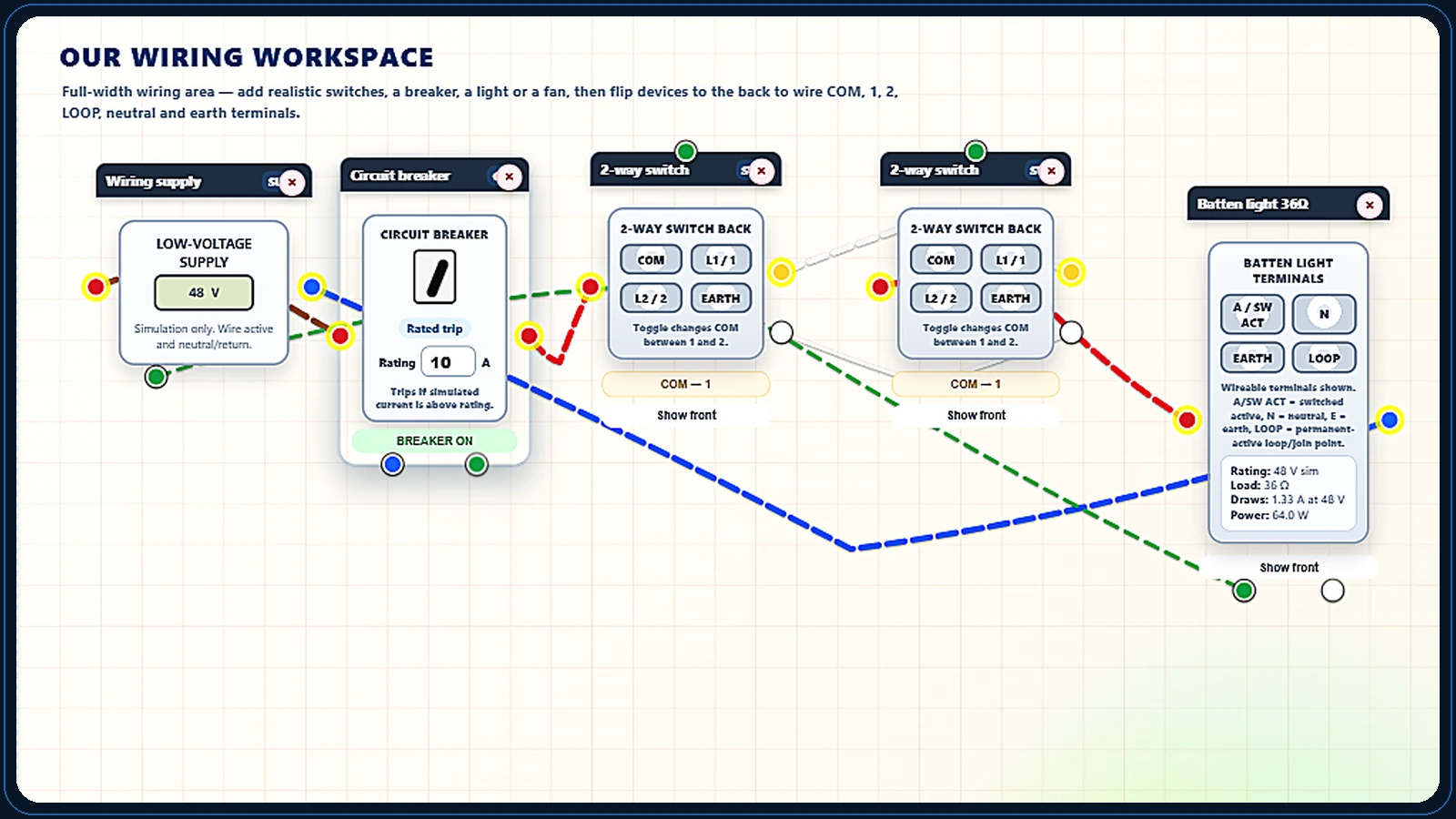
Why it helps
Understand the circuit before testing your prediction.
A two-way switch wiring circuit can feel confusing because the result depends on the full path through both switches. WireMate lets you build the circuit visually, test the switching logic and compare it with a cleaner routed version.
Skills
Two-way switching skills to build
Common terminals
Find the moving contact on each switch rather than assuming every terminal has the same function.
Strappers
Trace the two alternative paths between switches and identify which one each switch selects.
Switch output
Follow the selected path from the first common to the second common and the load.
Return path
Keep the lamp's return separate from the two switching paths when reading the diagram.
Four combinations
Test both positions of each switch. Either switch should change the lamp state.
Terminal checks
Use the terminal labels and simulated dead-resistance checks to distinguish connected and open paths.
An open strapper
Predict which combinations stop working when one of the two alternative paths is broken.
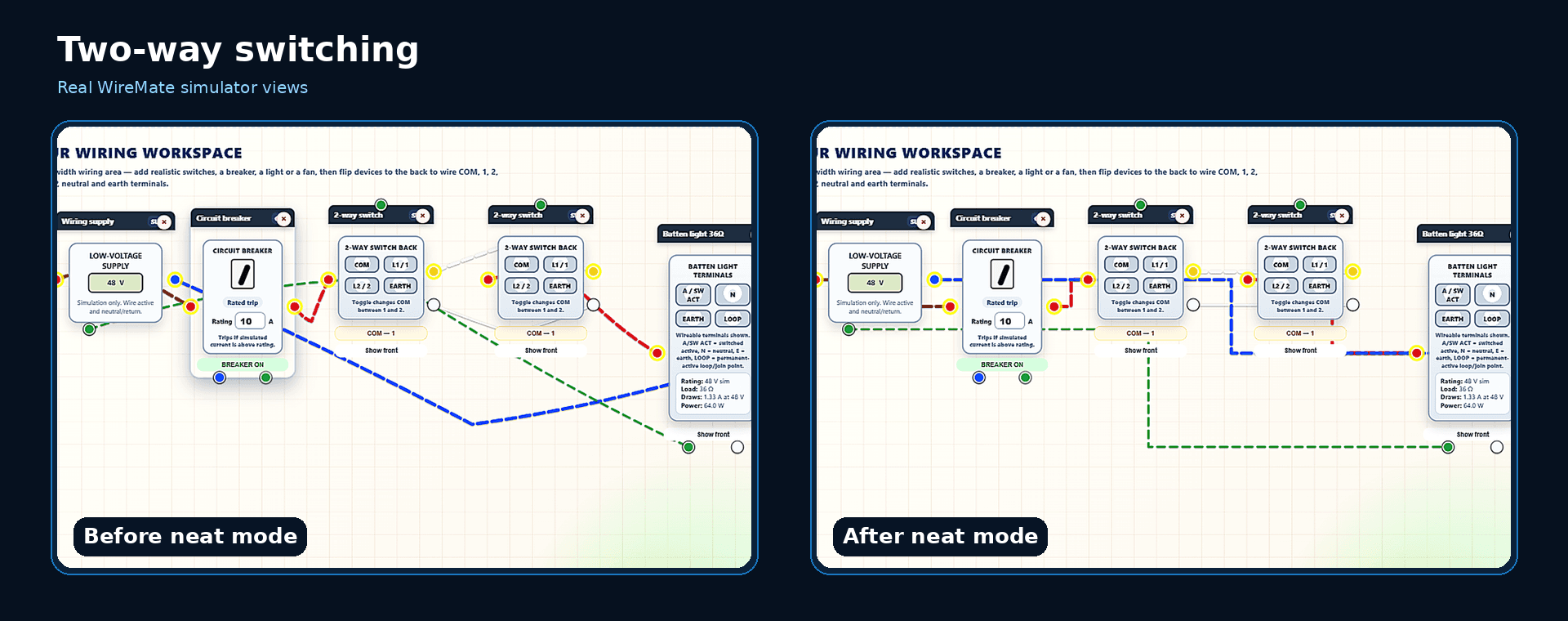
Neat routing
Compare the same connections before and after Neat Mode so crossings do not obscure the logic.
Worked simulation example
Why either switch can change the lamp state
In Pro → Essential circuits, choose Two-way lighting. In this explanation, the two strappers join matching terminals: L1 to L1 and L2 to L2.
1. Select the same strapper
When both common contacts select L1, or both select L2, the selected path is continuous and the lamp can operate.
2. Select different strappers
L1/L2 and L2/L1 leave an open path between the commons, so the lamp is off in this arrangement.
3. Change either switch
Move one switch at a time through all four combinations. Each change should reverse the lamp's on/off state.
What to look for: For matching strappers: L1/L1 = on, L1/L2 = off, L2/L1 = off, L2/L2 = on, provided the rest of the circuit is complete.
These labels describe selected contacts, not universal physical up/down positions. Crossed strappers reverse the on/off combinations. Follow the simulator's terminal labels; this is not a real-installation wiring instruction.
Real simulator visual
Messy circuit first, clean circuit after
WireMate can show how the exact same two-way switching circuit becomes easier to follow once the wires are routed neatly.
Quick answers
Common questions
Can I practise two-way switching in WireMate?
Yes. WireMate includes two-way switching examples and visual circuit layouts for practising the switching path.
Does Neat Mode change the circuit?
Neat Mode is used to help make the wiring easier to read. It is designed to show the same idea in a cleaner layout so the circuit logic is clearer.
Is this useful for apprentices?
Yes. It is built for apprentices and students who want more repetition with switching logic before working under supervision.
More practice
Explore more WireMate training pages.
3-Day Free Trial
Start practising electrical wiring online.
Basic then renews at $5.99 AUD/month. Cancel anytime. Cancel before the 3-day trial ends to avoid being charged.