Wiring simulator
Build circuits with supplies, switches, lamps and meters. Keep leads tidy with Neat mode, then zoom in to work on connections.
Open Basic simulatorOpening WireMate
Build and test circuits, follow animated wiring help, and investigate two hidden faults. Pro brings the wiring workspace, essential circuit library and installation-testing bench together.
Already a member? Open your included Basic or Pro simulator directly.
Pro is $9.99 AUD/month. New Pro subscribers can start with a 3-day trial. Existing Basic trial users start Pro now; paid Basic members upgrade by paying the current-month difference.
Close the switch. Watch the lamp respond.
Circuit open · Lamp off
Build, test and learn in one place.
Wiring · Essential circuits · Find the 2 FaultsClear practice spaces, with Neat mode, meters and guided help close at hand.
Open Pro workspaceSee the workspace, or try the simple interactive circuit. A Pro subscription unlocks the full practice tools.
Use Open simulator above to go straight to your included workspace, or choose a specific activity below.
Build circuits with supplies, switches, lamps and meters. Keep leads tidy with Neat mode, then zoom in to work on connections.
Open Basic simulatorAdd cable settings, plug-in appliances and an IR tester. Use the workspace tour or watch a supported circuit's next wiring step.
Open Pro workspaceChoose lighting, socket, motor or control practice. Wire supported examples yourself, or inspect a completed circuit and operate its controls.
Explore essential circuitsTest an eight-circuit installation model. Record readings, support two diagnoses with evidence, then apply simulated repairs and retest.
Open fault-finding benchUnderstand the circuit, then wire it yourself.
Create, inspect and understand the circuit relationships.
Open Circuit BuilderLoad supported equipment with no completed wires, then connect it yourself.
Open Wiring SimulatorOr open a supported diagram and select Wire This Circuit to practise wiring that exact plan.
Start with the core simulator, or upgrade to Pro for deeper AC practice, cable calculations, testing workflows, and fault-finding scenarios plus 20 Pro study modules built for serious study.
Core simulator access with guided examples and a 3-day trial for new subscribers.
Pro workspace, essential circuits and Find the 2 Faults, plus 20 compact electrical study modules.
New Pro users get 3 days. Basic trial users start Pro now; paid Basic members pay the difference this month.Connect and arrange your own leads
Choose and compare cable sizes
Mostly simple DC-style practice
AC practice and simulated meter readings
Core lamps, switches and meters
More loads, protection devices and tools
Guided visible examples
Dedicated Find the 2 Faults bench
Simulator examples
20 study modules and 60 quick checks
| Feature | $5.99 WireMate | $9.99 WireMate Pro |
|---|---|---|
| Monthly price | $5.99 AUD/month | $9.99 AUD/month |
| Trial | New Basic subscribers get a 3-day free trial | New Pro subscribers get a 3-day free trial |
| Basic upgrade | Renews at $5.99 AUD/month | Basic trial users start Pro now. Paid Basic members pay the current-month difference, then $9.99 AUD/month next cycle |
| Circuit types | Core switching and simple circuit practice | AC circuits, mixed loads, breaker examples, and fault scenarios |
| Wiring workspace | Build your own connections, use Neat mode, zoom and meters | All Basic tools, plus cable settings, plug-in loads and guided help |
| Components | Core lamps, switches, meters, and supplies | Expanded board components, protection devices, meters, loads, and test tools |
| Testing depth | Voltage, current and resistance practice | Multimeters, an IR tester, test sheets and repair/retest practice |
| Circuit library | Example circuits and guided lessons | Essential lighting, socket, motor and control connection exercises |
| Fault-finding | Introductory fault examples | Find the 2 Faults: an eight-circuit bench, recorded evidence and two diagnoses |
| Study guides | Simulator examples | 20 compact Pro modules with worked examples and 60 quick checks |
| Best for | Getting started with wiring logic | Apprentices preparing for deeper practical work |
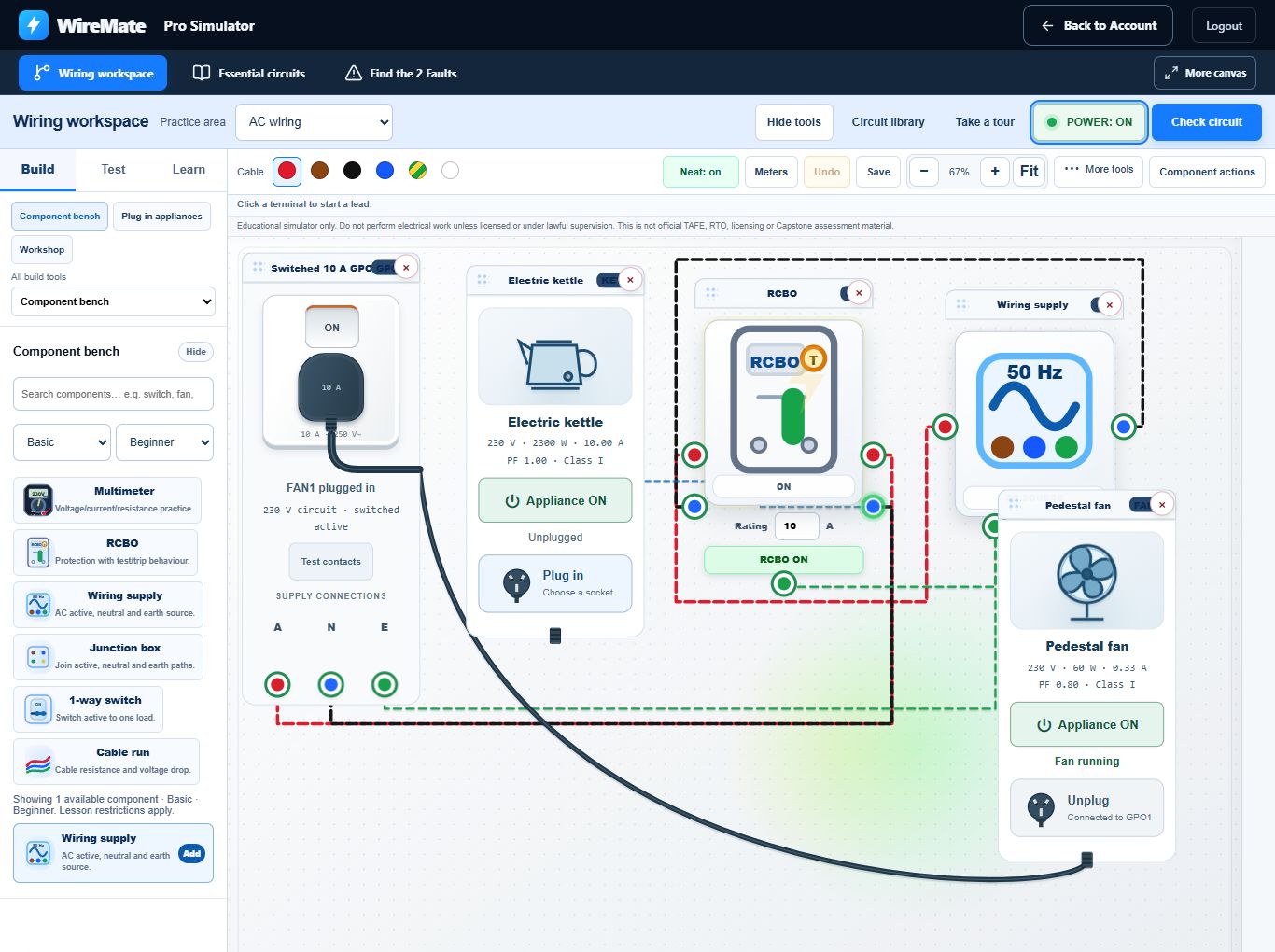
Current views of the wiring workspace and fault-finding bench. Choose a practice space, set up your instruments and work through the circuit at your own pace.
Keep the circuit in view with grouped tools, board zoom and Neat mode. Open meters, plug-in loads and guided help from the same workspace.
Open Pro workspace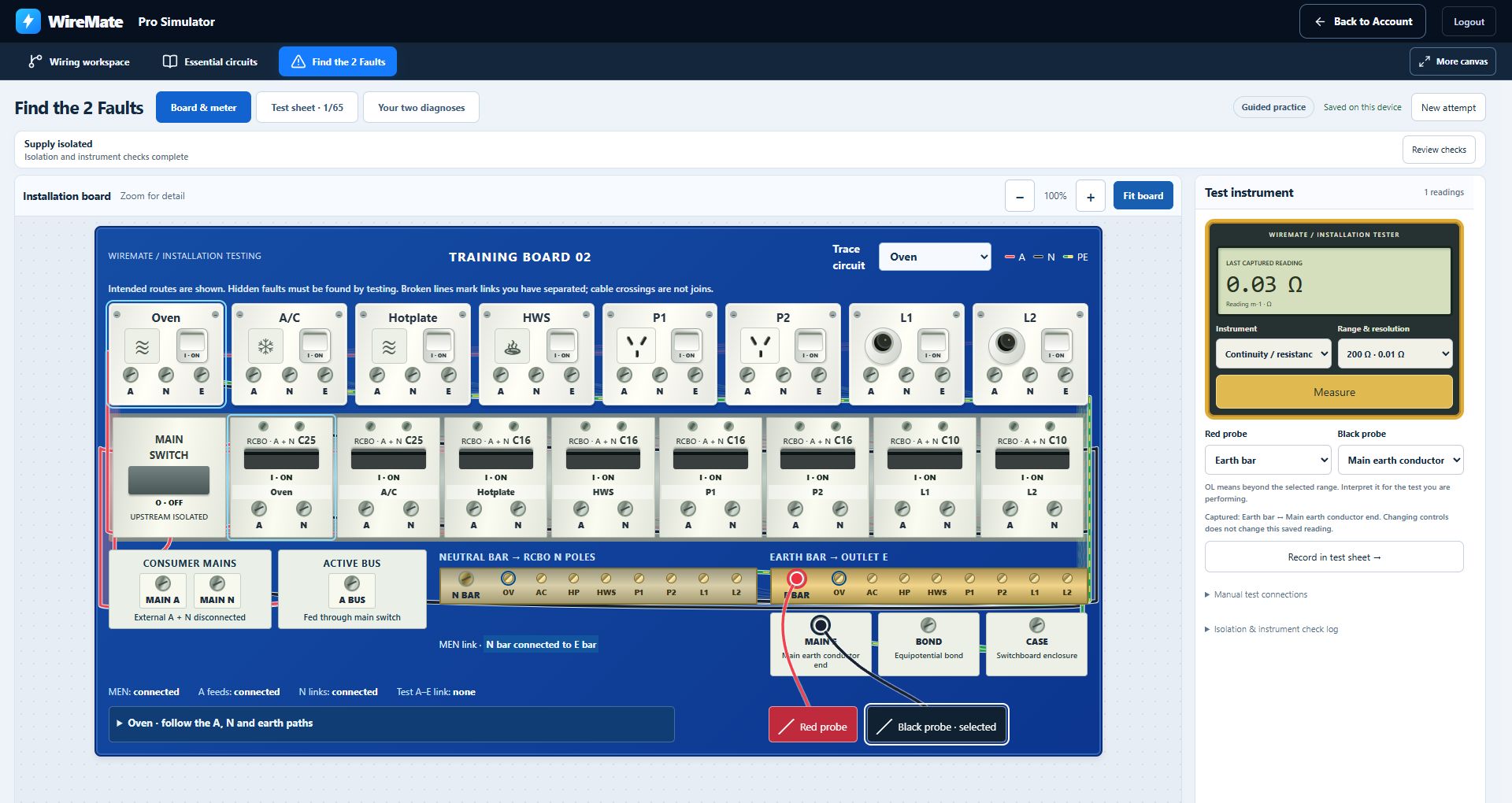
The installation board and meter sit together on desktop. Use separate Test sheet and Your two diagnoses tabs to record evidence, then review and retest your repairs.
Open Find the 2 FaultsWireMate Pro gives learners more realistic circuits, clearer testing steps, tougher fault scenarios, and theory revision so they can build confidence before they are under pressure on real jobs or in practical assessments.
A separate installation-testing bench with neutral and earth connections, captured measurements, a test sheet and a repair/retest stage.
Practise selected lighting, socket, motor and control connections. Each exercise explains its purpose and the limits of its model.
Take a tour of the workspace. In supported practice circuits, ask the guide to demonstrate the next connection so you can follow it on the board.
Practise with multimeters, ammeters and an insulation-resistance tester, with test settings and isolation requirements shown in the simulator.
Compare conductor resistance and estimated voltage drop using cable size, length and material. These are training calculations.
Wire a socket, connect an appliance using its plug, and operate its controls. Inspect simulated power and current as you change the load.
Use Neat mode, board zoom and collapsible tools on a laptop or tablet. More canvas hides Pro's website navigation while you work.
Revise electrical maths, series and parallel circuits, wiring, controls, testing and fault-finding in 20 compact modules.
WireMate Pro may be claimable as a work-related self-education expense if it directly relates to your current apprenticeship, trade work, or employment.
Start free in the same editor, then keep your circuit when you choose to upgrade.